

AI voice agent vs IVR vs chatbot: what's the difference?
An AI voice agent holds a natural spoken conversation and takes actions on the phone; an IVR is a rigid press-1 menu tree; a chatbot handles the same kind of natural conversation but in text, not voice. Use an IVR only for simple deterministic routing, a chatbot for asynchronous text support, and a voice agent when callers want to speak and get something done.
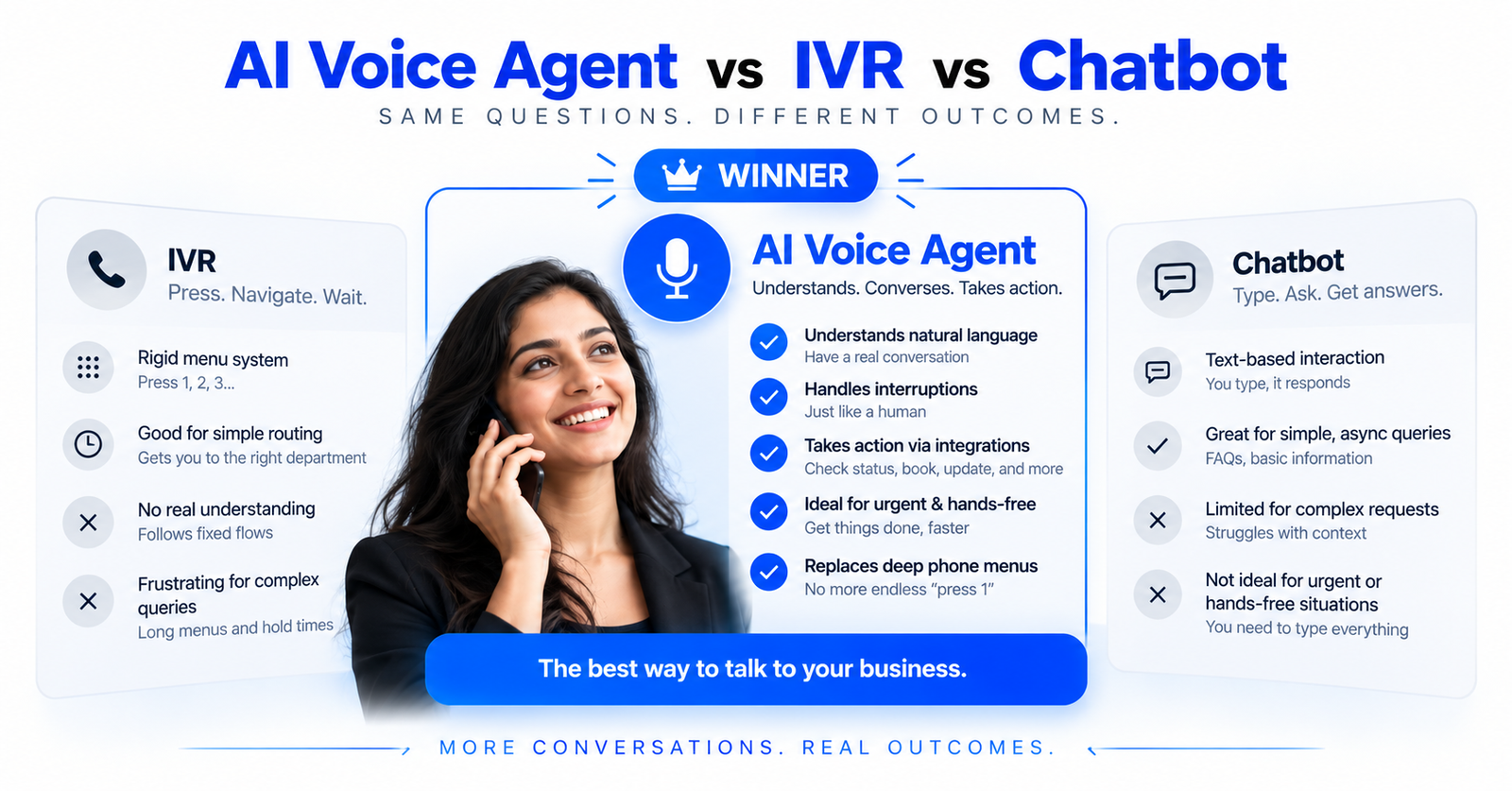
Here's the short version: an AI voice agent talks with callers in natural spoken language and can take actions mid-call; an IVR (interactive voice response) is the "press 1 for sales" menu tree that routes calls down fixed branches; a chatbot handles free-form conversation like a voice agent but over text instead of voice. They overlap, but they solve different problems — and choosing wrong is expensive.
This post lays out the differences plainly and tells you when each one is the right tool. If you're earlier in the journey, our complete guide to AI voice agents covers the fundamentals; for the sharper voice-only comparison, see voice AI vs IVR.
Definitions, in one line each
- IVR: A rules-based phone menu. The caller presses keys (or says a keyword) and follows a predetermined decision tree. No understanding — just matching input to a branch.
- Chatbot: A text-based conversational system. Modern ones use an LLM to understand free-form typing and can answer questions or take actions, but the channel is a chat window, not a phone line.
- AI voice agent: A spoken conversational system. It listens, understands natural speech, responds in a natural voice, and can call your systems to do things — book, look up, update, take a payment reference — while the conversation continues.
The comparison at a glance
| Dimension | IVR | Chatbot | AI voice agent |
|---|---|---|---|
| Channel | Phone (voice/keypad) | Text (web, app, messaging) | Phone (voice) |
| Input | Key presses / fixed keywords | Free-form typing | Free-form natural speech |
| Understanding | None — rule matching | Natural language (text) | Natural language (speech) |
| Conversation | Rigid menu branches | Flexible, back-and-forth | Flexible, back-and-forth |
| Interruptions | Not handled | N/A (async) | Barge-in supported |
| Takes actions | Limited (routing) | Yes, via integrations | Yes, via integrations |
| Works when hands/eyes busy | Yes | No | Yes |
| Best for | Simple deterministic routing | Async text support | Spoken tasks, outbound calls |
| Typical frustration | "Press 0 to reach a human" | Slow for urgent needs | Cost per minute at scale |
When to use an IVR
An IVR is still fine for genuinely simple, deterministic routing where the caller's intent maps to a handful of options and nothing needs understanding — for example, a two-option "existing customer or new customer" split, or after-hours "press 1 to leave a message." It's cheap and predictable.
The problem is that most IVRs are asked to do far more than that. Deep menu trees ("press 4, then 2, then 1…") are where callers rage-press 0, hang up, or reach the wrong department. If your IVR has more than a couple of levels, you've likely outgrown it. We unpack this failure mode in voice AI vs IVR.
The deeper issue is that an IVR forces the caller to translate their problem into your categories. A customer whose delivery is late doesn't think "that's a logistics issue, option 3" — they think "where is my package?" Every layer of menu is a chance to guess wrong, and a wrong guess means a misroute, a repeated explanation to the next agent, and a longer call. IVRs also can't gracefully handle the common case where a caller has two things to do at once; the tree only has one path.
Where an IVR still earns its place: as a thin, fast front door for high-volume lines that genuinely split cleanly (emergency vs. non-emergency, language selection, a legally required disclosure before routing). Keep it shallow, keep the "reach a human" path obvious, and don't ask it to do understanding it was never built for.
When to use a chatbot
A chatbot is the right tool when the interaction is naturally text-first and asynchronous: a support widget on your website, a messaging channel, an in-app assistant, or anywhere the customer is already typing. Text is cheap, easy to log, and lets the customer respond whenever they like.
Chatbots fall short when the situation is urgent, hands-free, or emotionally charged — a caller stuck on the road, an overdue payment, someone who simply prefers to talk. Text also can't reach the large population who won't or can't type into a chat window, and it struggles with tasks that are faster said than typed (spelling out an address, walking through a series of options, reassuring an anxious customer).
A modern LLM-backed chatbot is genuinely capable — it understands free-form language and can call your systems just like a voice agent. The limiting factor is rarely intelligence; it's the channel. Text is patient and precise; voice is immediate and human. Picking between a chatbot and a voice agent is mostly picking the channel the customer is actually in, not picking which one is "smarter."
When to use an AI voice agent
Use a voice agent when the phone is the right channel and the interaction needs real understanding or action:
- Inbound support where callers describe problems in their own words and expect answers now — voice AI can cut hold times and run 24/7. See cut hold times with 24/7 AI phone support.
- Outbound campaigns — reminders, follow-ups, lead qualification, cold outreach at volume. See AI cold calling and outbound campaigns.
- Collections and reminders, where tone, compliance, and reliable reach matter. See AI voice agents for collections.
The defining capability is that a voice agent both converses naturally and takes action mid-call by calling your systems — the same orchestration a good chatbot uses, but on the phone. That's covered in Callaro's orchestration.
Why voice AI is replacing menu trees
The menu tree exists because, historically, a phone system couldn't understand speech — so it made the human do the routing, one keypress at a time. That constraint is gone. A voice agent lets the caller just say what they want ("I need to reschedule my delivery") and handles it, instead of forcing them to guess which of six options their problem belongs to.
That's the shift: IVR makes the caller navigate your org chart; a voice agent understands the caller's intent. For many businesses the move isn't rip-and-replace — the voice agent sits in front, handles what it can, and hands off cleanly to a human or a specific queue when needed. The menu tree becomes a fallback, not the front door.
They're not mutually exclusive
Most real deployments use more than one. A chatbot on the website and a voice agent on the phone share the same backend logic and integrations, so a customer gets consistent answers whether they type or call. An IVR can still do a fast first-line split before routing into a voice agent. The point isn't to pick one forever — it's to stop using a menu tree for jobs that need understanding, and to stop forcing phone callers into text.
Or skip the choice: one agent for voice and chat
The voice-versus-chat decision is becoming a false choice. An omnichannel agent answers on the phone and in your website or app chat with the same knowledge, tools and guardrails, and moves the customer between them: a chat becomes a call in one tap, a call sends the link by WhatsApp, and both share one memory. Callaro works this way, with rich chat components — comparisons, booking slots, carts, forms — and voice on phone lines, in the browser and inside your app.
Choosing between them
Ask three questions:
- What channel is the customer already in? Phone → IVR or voice agent. Web/app/messaging → chatbot.
- Does the interaction need understanding, or just routing? Just routing → IVR. Understanding or action → voice agent (phone) or chatbot (text).
- Is it urgent or hands-free? If yes, lean voice.
If the answer points to a voice agent, the next step is picking a good one — use our 12-point checklist for choosing an AI voice agent, and compare named platforms with our comparison pages.
Written by Callaro Team
Field notes from the team building Callaro's voice AI platform.
Frequently asked questions
What is the difference between an AI voice agent and an IVR?+
An IVR is a rules-based phone menu — the caller presses keys to follow a fixed decision tree, with no language understanding. An AI voice agent understands natural spoken language, holds a real back-and-forth conversation, handles interruptions, and can take actions mid-call by calling your systems. The IVR routes; the voice agent understands and acts.
Is an AI voice agent just a chatbot for the phone?+
They share the same underlying idea — natural-language understanding plus the ability to take actions — but the channel changes everything. A chatbot works over text (web, app, messaging) and is asynchronous; a voice agent works over the phone in spoken language, must handle latency, interruptions, and voicemail, and serves people who prefer or need to talk rather than type.
Should I replace my IVR with an AI voice agent?+
If your IVR is a simple one- or two-option routing tool, it may be fine as-is. If callers navigate deep menus, frequently press 0 for a human, or reach the wrong department, you've outgrown it. Many businesses put a voice agent in front to understand intent directly and keep the menu tree only as a fallback.
When is a chatbot a better choice than a voice agent?+
When the interaction is naturally text-first and asynchronous — a website support widget, an in-app assistant, or a messaging channel where customers are already typing. Text is cheaper and easy to log. Voice is better for urgent, hands-free, or spoken-preference situations and for outbound calling.
Can I use an IVR, chatbot, and voice agent together?+
Yes, and most mature deployments do. A chatbot on the web and a voice agent on the phone can share the same backend logic and integrations for consistent answers across channels, and an IVR can still perform a fast first-line split before routing into a voice agent.
Why are AI voice agents replacing phone menu trees?+
Menu trees existed because old phone systems couldn't understand speech, so they made callers do the routing keypress by keypress. Voice AI removes that limitation: the caller simply says what they need and the agent handles it, instead of guessing which menu option fits their problem.
Related articles

Gemini Live retirement: what changes for voice agents on 17 November
Google retires the Gemini API's preview Live and TTS models on 17 November 2026. Swapping in Gemini 3.8 Live is a one-line change; its new defaults for tool calls, silence and TTS prompts are not. Here is what changes, which date applies on which surface, and how to re-test each agent.

Voice AI for BPOs and contact centers: sell outcomes, not seats
For a BPO, voice AI is a commercial decision before it's a technology one. Put the AI tier where clients get nothing today (overflow, after-hours, callbacks, quality review), price it on resolved outcomes, and work out your containment floor before you quote: a transferred call costs more than a human-only one, so break-even sits higher than most teams assume.

Omnichannel AI agents explained: test the seams, not the channel list
An omnichannel AI agent is one agent with one memory per customer, serving calls, WhatsApp, chat, SMS, RCS and email, and able to act across them mid-conversation. Every vendor now claims that, so the label tells you little. What separates platforms is the six seams where a journey crosses channels: identity, memory, action, events, people and consent. Here's what breaks at each, and how to test it.
See the platform run a real call.
Book a demo and we'll show you outcomes executed end-to-end.
Book a demo